Payroll
Common Core: Native CRA Engine, ROE Web, Retro Pay.
- mandatoryROE Web Automation
- mandatoryBC Employer Health Tax (EHT) Auto-Calc
- preferredRetroactive Pay Automation


Strategic HRIS Selection Tool for Canadian Employers
⚠️ This tool runs entirely in your browser. No data is saved to a server.
Choosing a Human Resources Information System (HRIS) is one of the most consequential technology decisions any organization will make. The right platform aligns with your strategic goals, automates tedious workflows, and mitigates compliance risks. The wrong one creates operational bottlenecks and data silos.
Whether you are based in the US, Canada, or operating globally, navigating the HR tech market requires more than just looking at marketing materials. You need a structured, objective HRIS selection process.
That is why we built this interactive assessment tool. While it comes pre-loaded with a complex Canadian compliance profile (covering CRA remittances, ROE generation, and provincial standards) to demonstrate its power, this engine is a completely universal framework. You have total control to customize, add, or remove parameters to match your exact regional requirements and company size.
This assessment walks you through a highly customizable, seven-step evaluation process designed to surface the platform that best fits your specific operational needs.
The tool begins by asking you to define your strategic priorities. We have pre-loaded six common priorities, but you can edit these or create your own:
Total Customization: You can easily add custom priority categories, adjust the weight of each module, and define granular sub-requirements. The engine uses a dynamic dual-weighted scoring model—allowing you to adjust the balance between high-level Strategic Fit and granular Functional Module Capabilities using a simple slider.
Because every business is unique, your vendor shortlist should be too. This tool offers a fully flexible service comparison selection.
We have pre-loaded the tool with several popular platforms to get you started:
Make it your own: You are not locked into this list. You can easily click "Add New Vendor" to evaluate any system on the market—whether that is Workday, Gusto, Rippling, UKG, Deel, or a niche local provider. If a pre-loaded vendor doesn't fit your scope, simply click the trash icon to remove them from your evaluation.
Yes. The HRIS Assessment Engine is completely free to use. There is no login, no email capture, and no account required. We built it as a resource for employers who want an objective, structured way to evaluate vendors on their own terms.
No. The tool runs entirely locally in your web browser for maximum data privacy. Nothing is sent to a server, and no data is stored after you close the page. When you are finished configuring your scores, simply use the "Print / Save PDF" button on the results page to keep your report.
It all comes down to your Guardrails! In Step 5, the tool features "Compliance Gates"—non-negotiable requirements that a system must pass to be considered.
We have pre-loaded a few default guardrails (such as "Native Canadian Payroll" and "Data Residency") simply to demonstrate how the engine filters out systems that don't meet strict regional needs. If a vendor doesn't have these specific features natively, the default gate will flag them. However, nothing is locked in! You have complete flexibility to toggle off, edit, or remove any guardrail that doesn't align with your strategy. Once you adjust the guardrails to match your actual dealbreakers, those vendors will instantly be re-scored based on their core strengths. The engine is built to reflect your priorities, not ours.
It depends entirely on your priorities. A 30-person non-profit with simple needs will get a very different recommendation than a 500-person enterprise with employees across multiple jurisdictions. The engine calculates the "best" system dynamically based on the specific weights, modules, and scores you input into the tool.
Absolutely, yes. While the default setup is pre-loaded with Canadian priorities to showcase the tool's ability to handle complex compliance requirements, the framework itself is completely borderless. U.S., European, and global employers can simply delete the Canadian parameters, type in their own compliance needs (like ACA reporting, GDPR, or state-specific labor laws), add their preferred global vendors, and run the exact same rigorous evaluation process.
Common Core: Native CRA Engine, ROE Web, Retro Pay.
Common Core: Stat Holidays & Sick Leave.
Digital TD1s & Employment Contracts.
Employee Files (FIPPA Compliant).
Carrier Integration.
Headcount Budgeting.
Optional module — no pre-set sub-requirements.
ATS.
Optional module — no pre-set sub-requirements.
| Category | Weight | Why it matters |
|---|---|---|
| Compliance & Security | 10 / 10 | Risk mitigation: CRA penalties, Employment Standards, Data Residency. |
| Admin Efficiency | 9 / 10 | Reduction of manual calculation (ROE, Retro Pay, Stats). |
| Integration & Ecosystem | 8 / 10 | Eliminating double-entry between HR and Payroll. |
| User Experience | 8 / 10 | Ease of use for employees and managers. |
| Implementation | 7 / 10 | Speed and support during migration. |
| Manager Productivity | 6 / 10 | Approval workflows and scheduling. |
Native Canadian Payroll
System must have its own CRA-compliant engine (No 3rd party sync).
Data Residency (Canada)
Data must be stored on Canadian servers (FIPPA/PIPEDA).
BC Stat Holiday Logic
Native ability to handle 15/30 rule & irregular wage averaging.
All-in-One HR+Payroll
Workforce Management
Mid-Market HCM
HR-First Platform
Enterprise HCM
All-in-One HR+Payroll
Enterprise Payroll & HR

Most surveys promise anonymity they can't deliver, then present results once and shelve them. Fixing those two moments is the whole game. Here's how.

BC employers face two moving wage benchmarks — a CPI-indexed minimum wage and a volatile living wage. Plan with scenario bands, not point estimates, and write the annual increase into your funding agreements before they are signed.
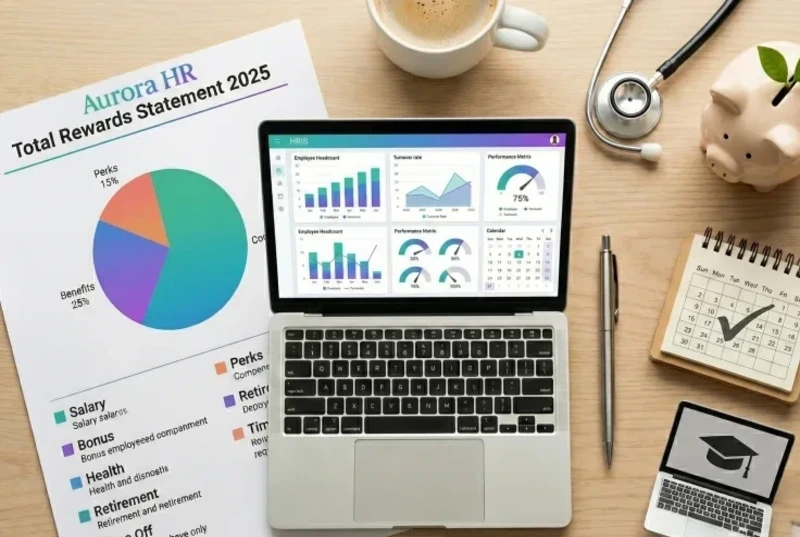
The right HRIS transforms HR from reactive administration to strategic insight. We help you move from spreadsheets to strategic decisions. "The right HRIS transforms HR. The wrong system wastes money and time. Good technology often goes underutilized. We help you get it right."

What worked at 50 people breaks at 100. We build HR processes that scale without creating bureaucracy. "HR infrastructure should enable your work, not create more of it. We build processes that scale."

You need HR expertise but not 40 hours a week. Senior HR support scaled to your needs—without full-time overhead. "Senior HR expertise when you need it, scaled to what you can afford. Not a call center—a trusted partner who knows your organization."